A clearer first impression
Put the most relevant action in front of each audience, from listening to an episode to exploring your work.
For creators, brands and independent businesses
Your podcast, shop and portfolio speak to different people. Give each one a useful bio page, then bring the links and QR codes that promote them into ti-ny.link.
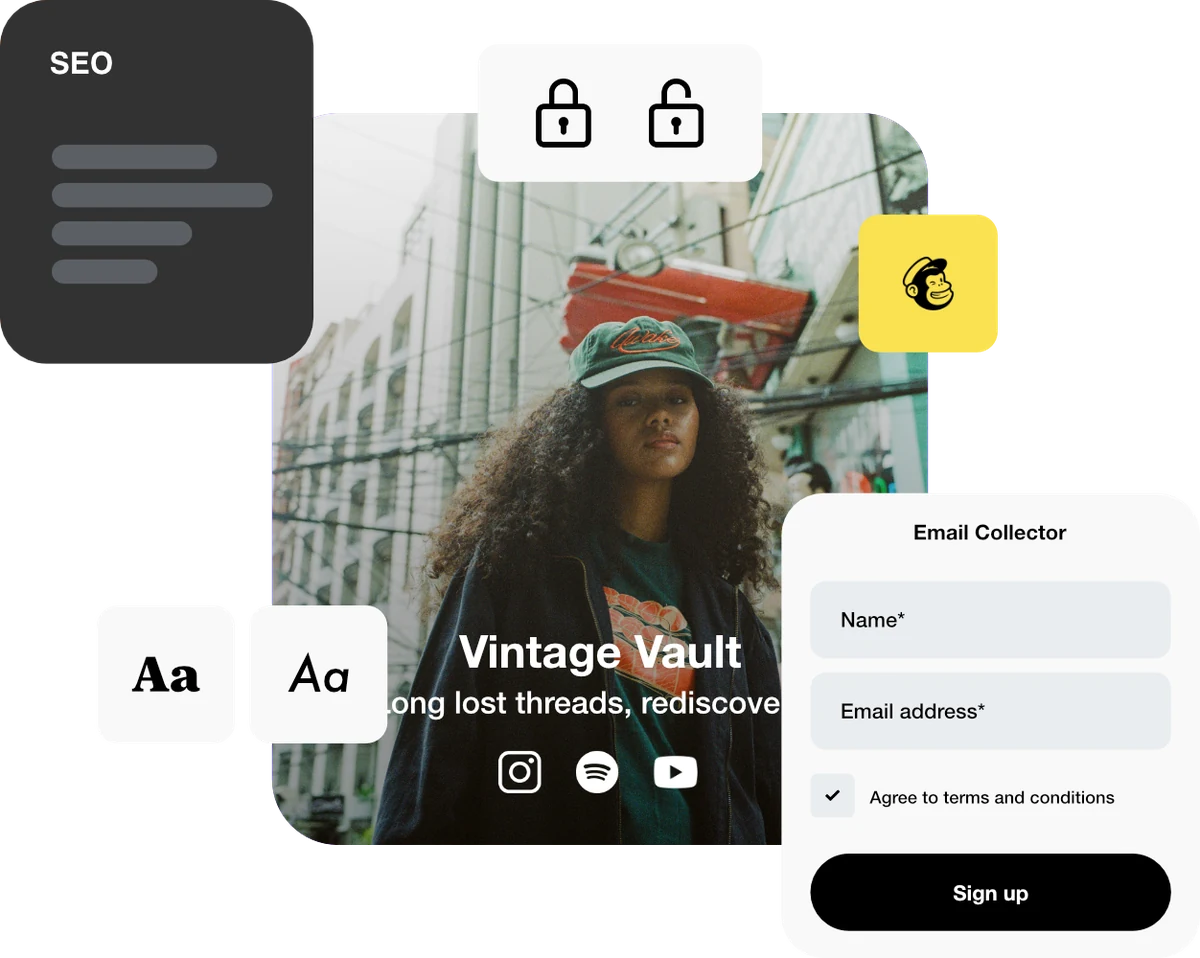
Put the most relevant action in front of each audience, from listening to an episode to exploring your work.
Give each bio page its own heading, links and visual direction while keeping your work in one account.
Connect campaign short links and printed QR codes to the right page for that particular moment.
Illustrative setup · an independent creative
Imagine a photographer who also sells prints and hosts a podcast. Each project gets a focused page instead of asking every visitor to browse everything.
Keep each page focused on the visitor’s next step. Reuse the same page address as the project grows.
Selected work, an introduction and an enquiry link.
The latest collection and links to the existing store.
The latest episode and listening destinations.
Illustrative examples. These addresses are not live campaign links.
Make it happen
Start with a useful destination. Build the route to it, then check the experience your visitors will get.
Choose one audience and one priority action for every project. Decide which content belongs on the page and which belongs on your existing website or store.
Explore bio pagesCreate a bio page in ti-ny.link and choose an available alias. Use a clear project name so you can recognise it later.
Follow the quickstartAdd a heading and a link to the main destination. Add supporting images, media or other available blocks when they help the visitor. Keep your priority action easy to find.
Read the block guideUse the relevant bio-page address in each profile. For a poster, email or campaign, create a separate short link to that page so the placement has its own statistics.
Set up dynamic linksOpen every page on a phone and test its buttons. Save block edits with Update, then check the public page again. Review visits over a consistent date range.
Understand analyticsChoose what fits
These allowances count active bio pages. Deleting an unneeded page frees capacity. Core includes no custom domains; Plus includes one and Pro includes three.
Eligible plans support a custom domain or subdomain for links and bio pages. Follow the domain guide and verify the address before sharing it.
All plans include the block types; the number of blocks and design options vary by plan. Link to your existing store or booking service when that is where the transaction happens.
Find your fit
Linktree’s standard paid plans apply to one profile each; it also offers custom arrangements. ti-ny.link lists several bio pages per paid plan. Compare the features you need alongside the number of pages.
Good questions
The ti-ny.link paid plans shown here include multiple bio pages in one account. Create distinct pages within your plan’s allowance. The Free plan includes 1 bio page. Check your account for current team and project allowances.
Bio pages support customisation and content blocks. Choose the layout, colours and available blocks appropriate to each project, then check the public result on mobile. Specific options and limits depend on your plan.
Plus includes one custom domain and Pro includes three. Free and Core include none. Moving to a plan with no custom domains stops custom-domain links working, even when the active-resource counts fit. Follow the domain setup guide before sharing.
A bio page can introduce your products and direct visitors to your shop. Use your store or other destination service for its checkout and order management. Choose ti-ny.link for the pages, links and QR codes that connect the journey.
Reviewed 4 October 2026. Features and plan limits can change; check the linked product guides and current account details.
Create dynamic links, bio pages and QR codes in one place.