Short links. More ways forward.
Make a memorable short link, update its destination and choose how people reach the right experience. Add app-aware opening, audience targeting and campaign controls when you need them.
Get started free ↗Read the dynamic-link setup guide →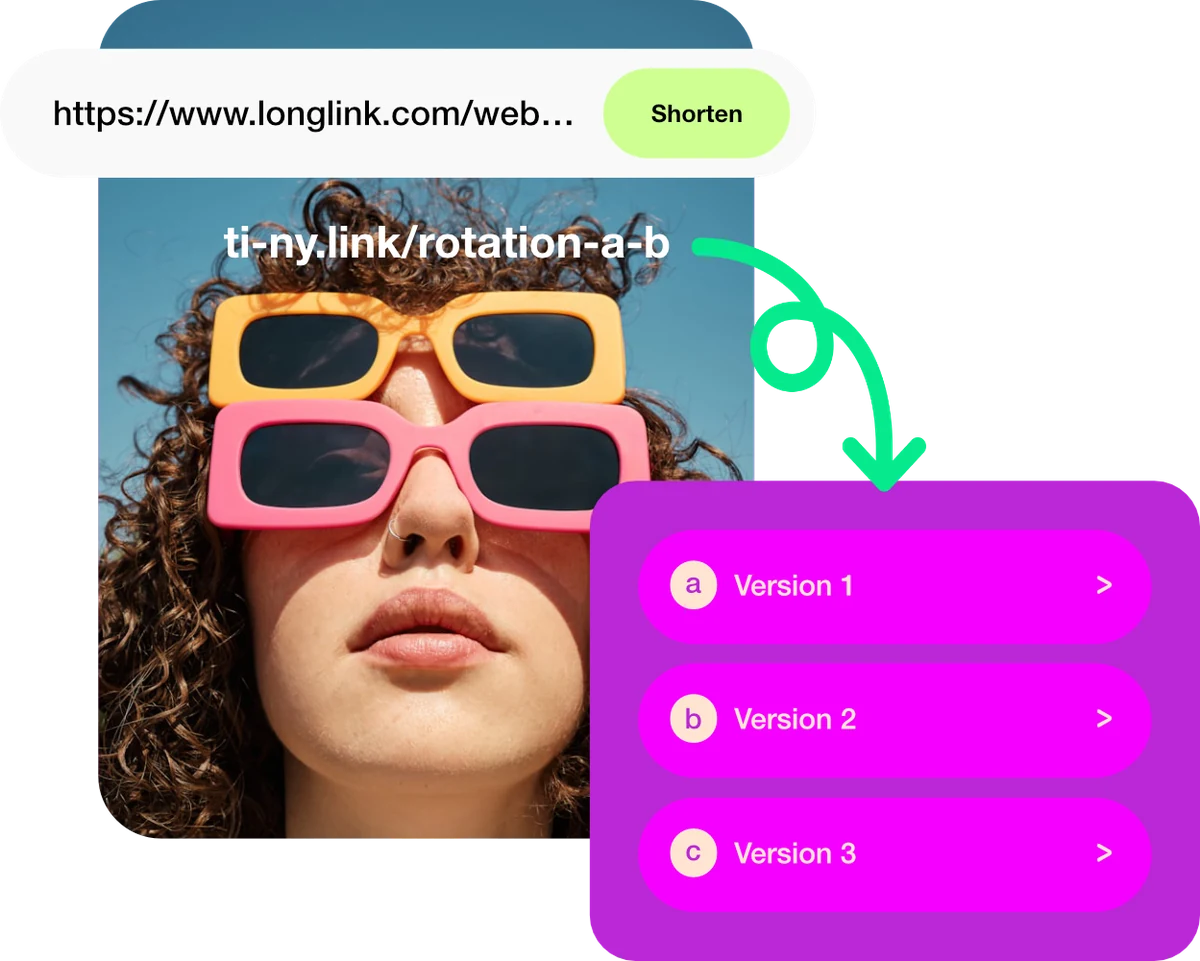
Share once. Keep moving.
Make it memorable
Use a custom alias to give your link context. Enter it in Short URL when creating the link, or edit it in the link settings before sharing.
Stay current
A new offer or a new collection doesn’t need a new link. Update the destination behind the short link you already shared.
Follow the source
Add UTM parameters for campaign context and explore the link’s statistics to understand visits and referrers.
The launch changes. Your link doesn’t have to.
Share one link before a launch, then update its destination when your collection goes live. Check the public link after every change so your audience reaches the right page.
Start with something simple.
- Create a short link to your current destination.
- Choose its alias and, for changing campaigns, a temporary redirect.
- Share it, then edit the destination when needed.
SEE HOW IT WORKS
Create a short link. Keep its destination current.
The short address is the part you share. Its settings let you change where it leads and add campaign context.
Enter the destination and alias
Choose Create link → Shortened URL. Enter your destination in Long URL and an available alias in Short URL, then choose Shorten URL.
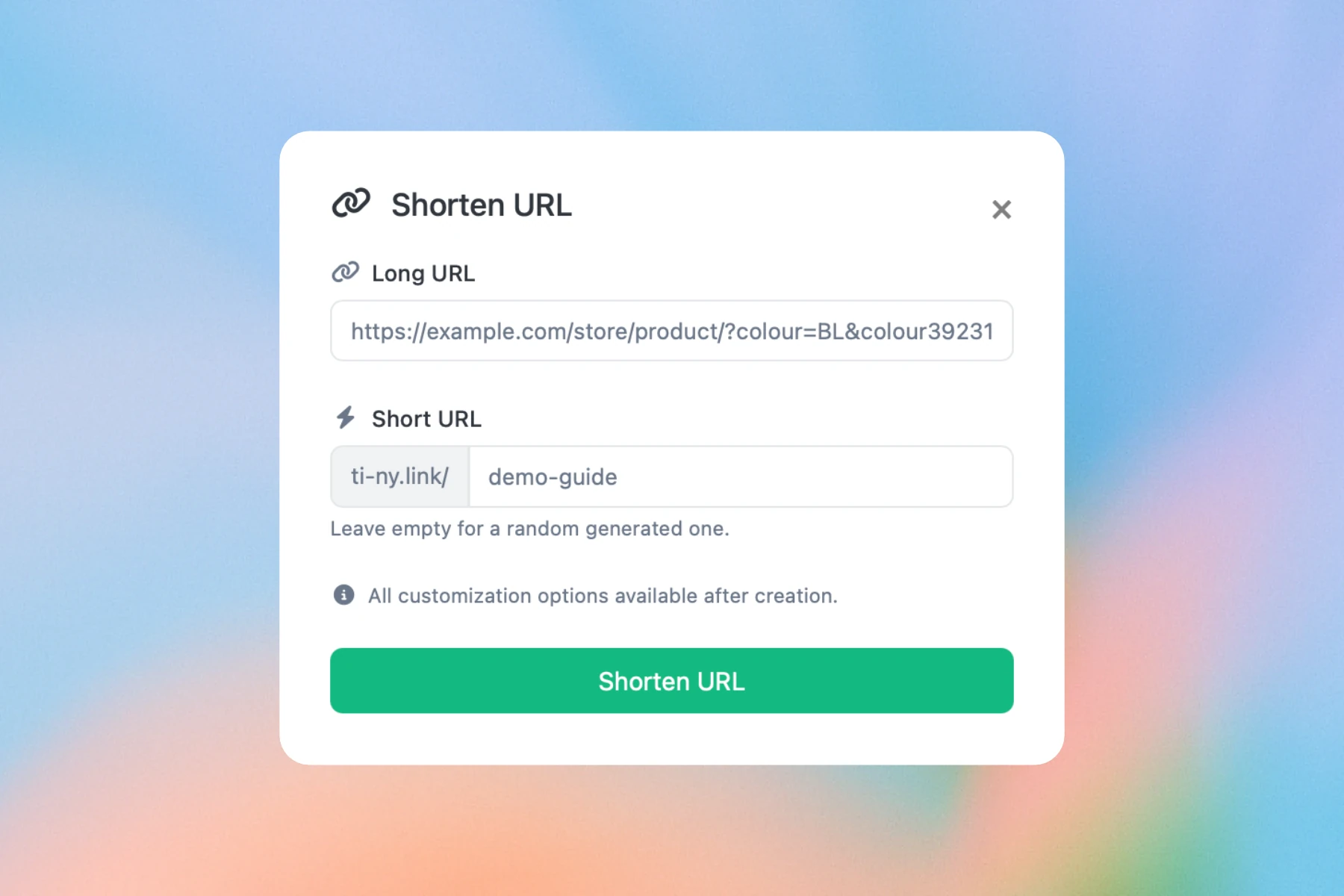
Enter your destination in Long URL and choose an available Short URL alias. The addresses shown are examples. Set up the route you need
Choose the redirect type that fits your link: 301 for a permanent destination, or 302 if you expect it to change. Select it under HTTP Status, then save with Update.
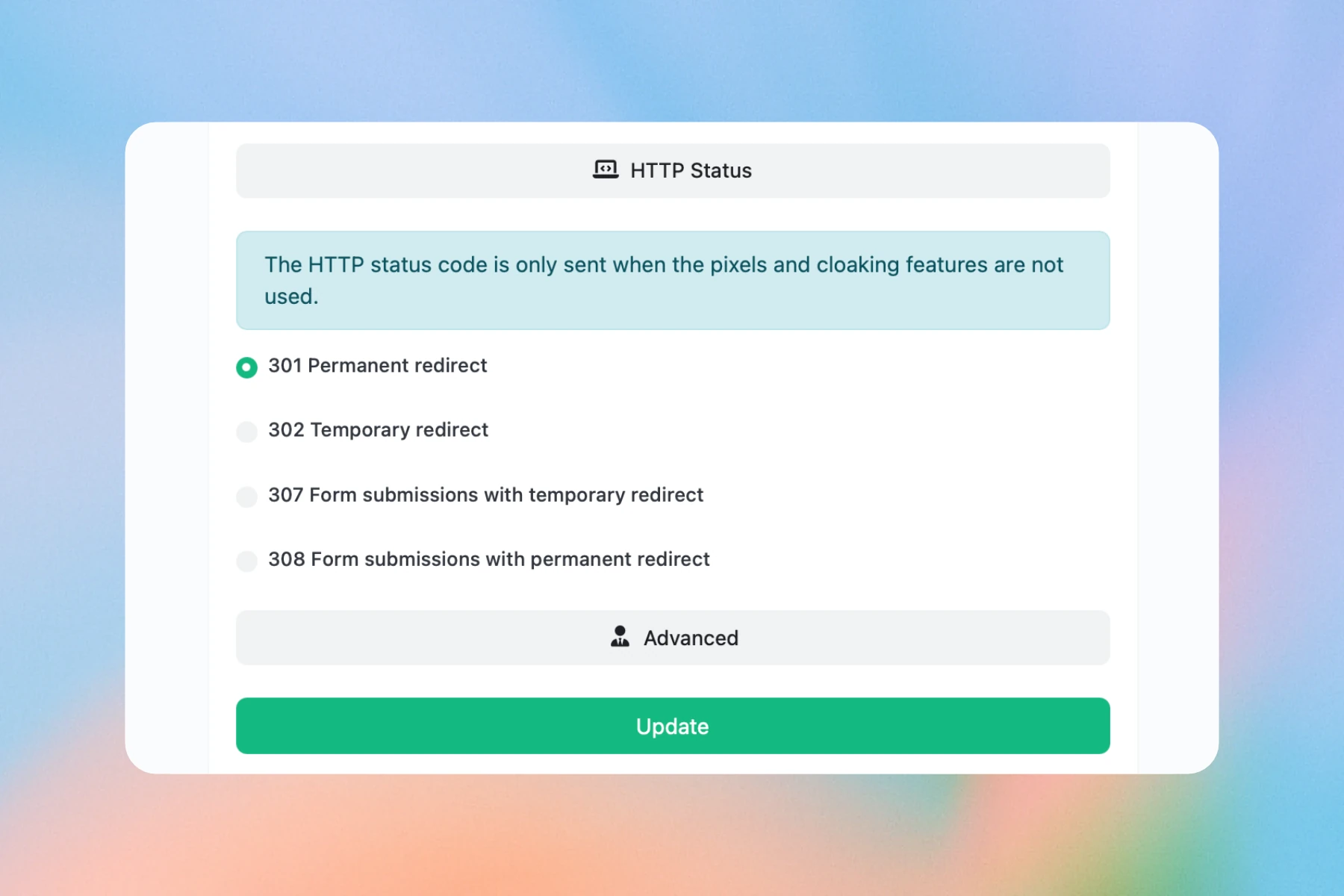
The example shows 301 Permanent redirect selected. Choose 302 if you expect to change the destination. Change the destination, keep the address
Edit Destination URL and choose Update. Leave Short URL unchanged, open the public link again and confirm it reaches the new destination with the expected campaign parameters.
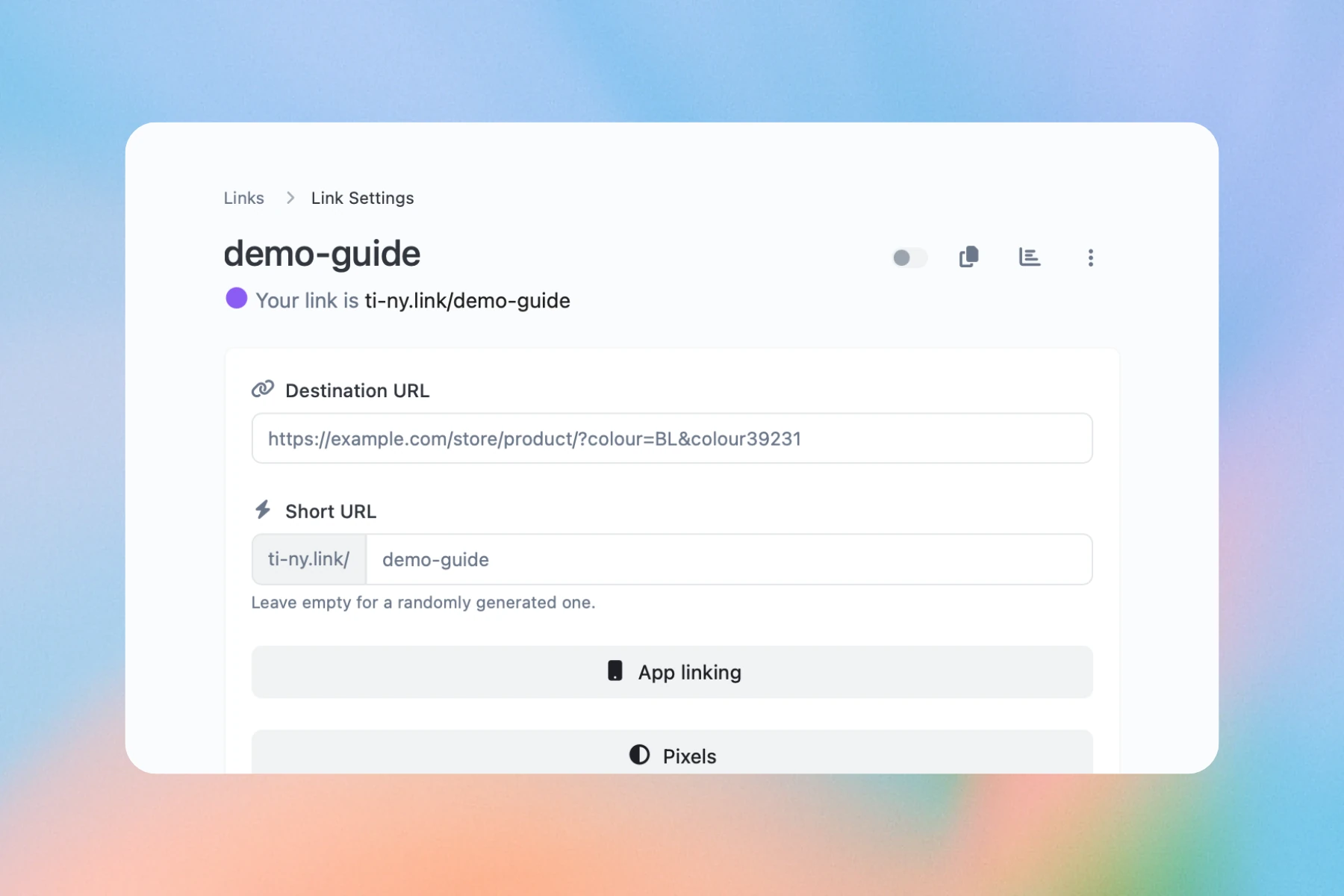
Update Destination URL while keeping your Short URL alias unchanged. Save, enable the link and test it before sharing.
Keep the alias unchanged after sharing. For destinations that will change, choose 302 Temporary redirect before first use. An earlier 301 redirect may remain cached by a visitor’s browser.
Frequently asked questions.
Can I change the destination after sharing?
Yes. Destination edits are unlimited on every plan. Edit Destination URL and choose Update, keeping the alias unchanged. For changing campaigns, choose 302 Temporary redirect before first sharing; browsers can keep an earlier 301 redirect cached.
Can I add campaign parameters?
Open UTM Parameters in the link’s settings, enter Source, Medium and Campaign, then choose Update. Check the final redirected URL after saving to make sure your campaign values are preserved.
Can I use my own domain?
Plus includes one custom domain and Pro includes three. Free and Core include none; moving to either stops custom-domain links working even when the link count is within its allowance. Follow the domain setup guide before connecting yours.
Put it into practice: Set up links to supported apps →
Get started free.
Create dynamic links, bio pages and QR codes in one place.