
FROM TABLE TO TODAY’S MENU
A café menu you can update.
Explore a café menu built with a ti-ny.link bio page. Use it as your destination, then connect the QR code on your tables through a short link.
Café menu
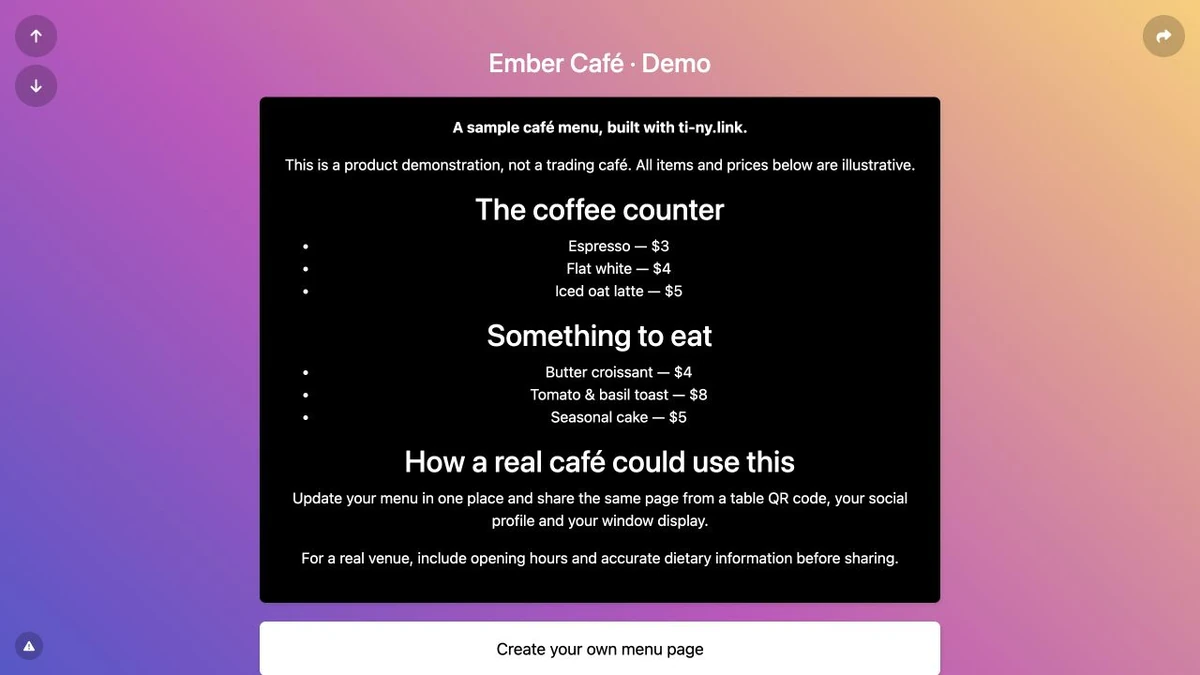
This is a real ti-ny.link page with illustrative content. It is not a customer testimonial, an active business offer or a claim about results.
Public demo addressti-ny.link/ember-cafe-demo ↗
MAKE YOUR OWN CONNECTION
Build this yourself.
The QR code points to your short link. The short link points to a menu page you can update, or replace with a different destination later.
Build the QR journey Understand editable destinations →Create a bio page for your café. Add a Heading block and a Markdown block for the menu, then a Link block for a useful next step. Save each change using Update.
Open the public page on a phone. Check the menu, contact details and links before sharing it.
Create a short link to the menu page. If the destination might change, select 302 Temporary redirect before first sharing.
Create a dynamic URL QR code and select that existing short link. Download the artwork and scan-test it before printing your table cards.
When you use a short link behind a QR code, keep its alias stable and test every destination update. A previously cached 301 redirect can persist after you change a link to 302. Scan-test your downloaded QR artwork before printing.