
ONE PLACE FOR THE NEXT DETAIL
An event page with every useful detail.
Explore an event information page built in ti-ny.link. Give visitors a place for the programme and next steps, then share it through a stable link.
Event information
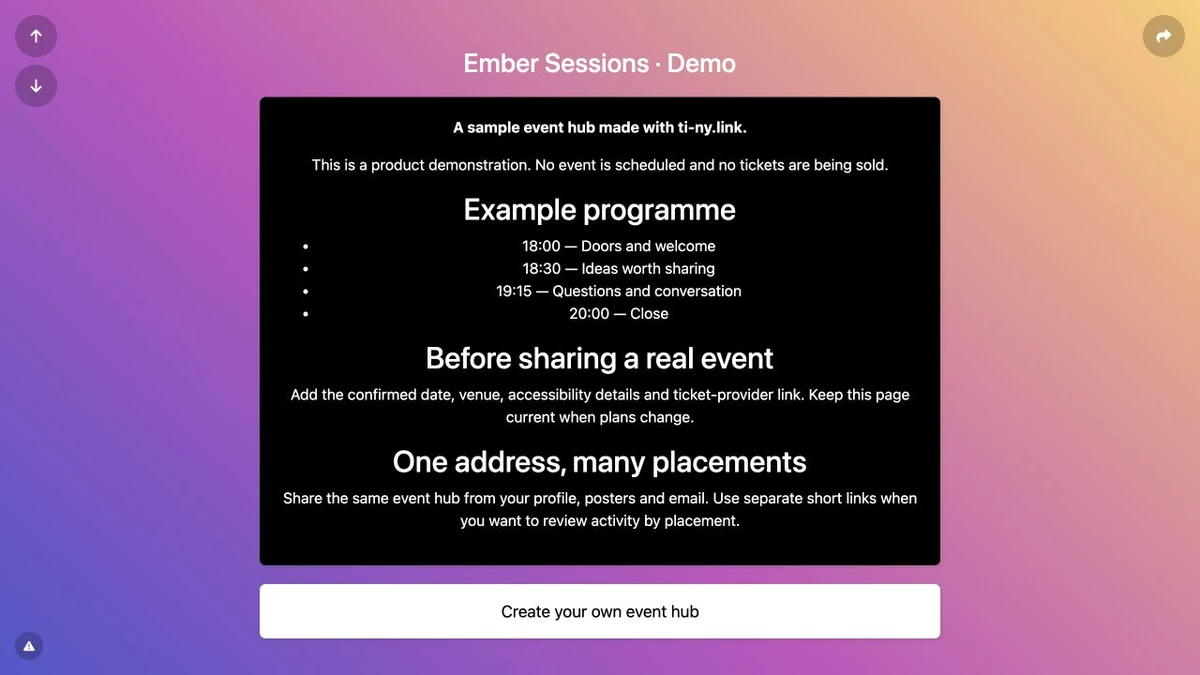
This is a real ti-ny.link page with illustrative content. It is not a customer testimonial, an active business offer or a claim about results.
Public demo addressti-ny.link/ember-event-demo ↗
MAKE YOUR OWN CONNECTION
Build this yourself.
A stable address can support each stage of an event. Your event page, registration and recap remain destinations you manage.
Build the event link journey Explore event workflows →Create a bio page with a Heading block, a Markdown block for the programme and a Link block. Add arrival details for a real event; registration can remain with your chosen external service.
Create a short link to the page. Select 302 Temporary redirect before sharing if its destination will change during the event lifecycle.
Connect a dynamic QR code to the short link and scan-test it before printing any posters or programmes.
After the event, keep useful information available or update the short link’s destination to your recap. Select Update and check the public address again.
When you use a short link behind a QR code, keep its alias stable and test every destination update. A previously cached 301 redirect can persist after you change a link to 302. Scan-test your downloaded QR artwork before printing.